
WebSockets
A WebSocket’s messages are listed in the Messages tab of its exchange. While it is open (● live in the list), you can send messages of your own on it, and a WebSocket breakpoint can hold its messages for you to change.
This works on WebSockets zhttp decrypts: wss://, and WebSockets over HTTP/2. A plain ws:// socket is only shown.
Send a message
Section titled “Send a message”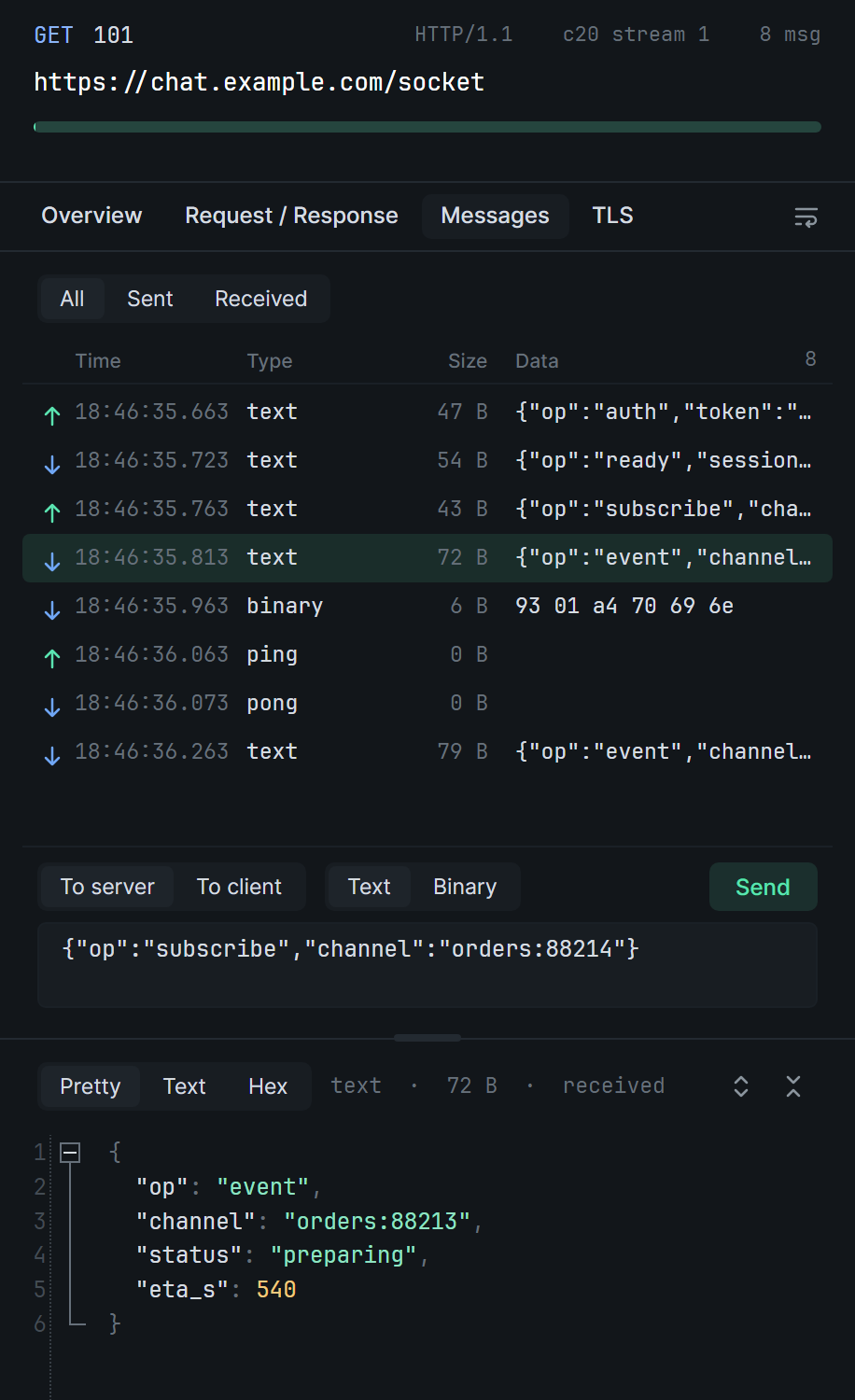
- Select the WebSocket in the list and open Messages.
- Under the list, pick To server or To client, and Text or Binary.
- Write the message and click Send (Ctrl Enter).
A binary message is written in hex, two digits to a byte; spaces and line breaks are ignored. To send a message again, as it was or changed, right-click it › Edit and send: it fills the box and picks the way it went.
A message you send goes between the others: if one is on its way in the same direction, yours waits until it is whole. It appears in the list like any other.
Hold messages
Section titled “Hold messages”- For one WebSocket: right-click it in the list › WebSocket breakpoint…
- From scratch: Breakpoints panel › + › WebSocket breakpoint, and fill in the URL.
The rule holds Sent messages (client to server), Received messages (server to client) or both, on every WebSocket opened to a URL it matches. The URL is matched as a breakpoint’s is.

A held message is listed with the held requests and responses: ↑ sent, ↓ received. Change its text, or its bytes in hex, switch it between Text and Binary, then click Resume (Ctrl Enter). Drop sends nothing in its place; the WebSocket stays open.
While a message is held, what arrives after it in the same direction waits behind it, so the order never changes. Pings and pongs wait too. Text and binary messages are held; ping, pong and close frames are not.
Compression
Section titled “Compression”Many WebSockets compress their messages (permessage-deflate). zhttp shows and holds them decompressed. A message you resume unchanged goes on as the bytes that arrived. Once a compressed message is changed or dropped, the compressed messages after it in that direction go on decompressed, since the receiver can no longer follow the sender’s compression. Messages you send go uncompressed.