
Network conditions
A session can slow its traffic down to the network you pick: added latency, capped download and upload speeds, and packet loss. The app on the device sees a slow network; the servers see a slow client.
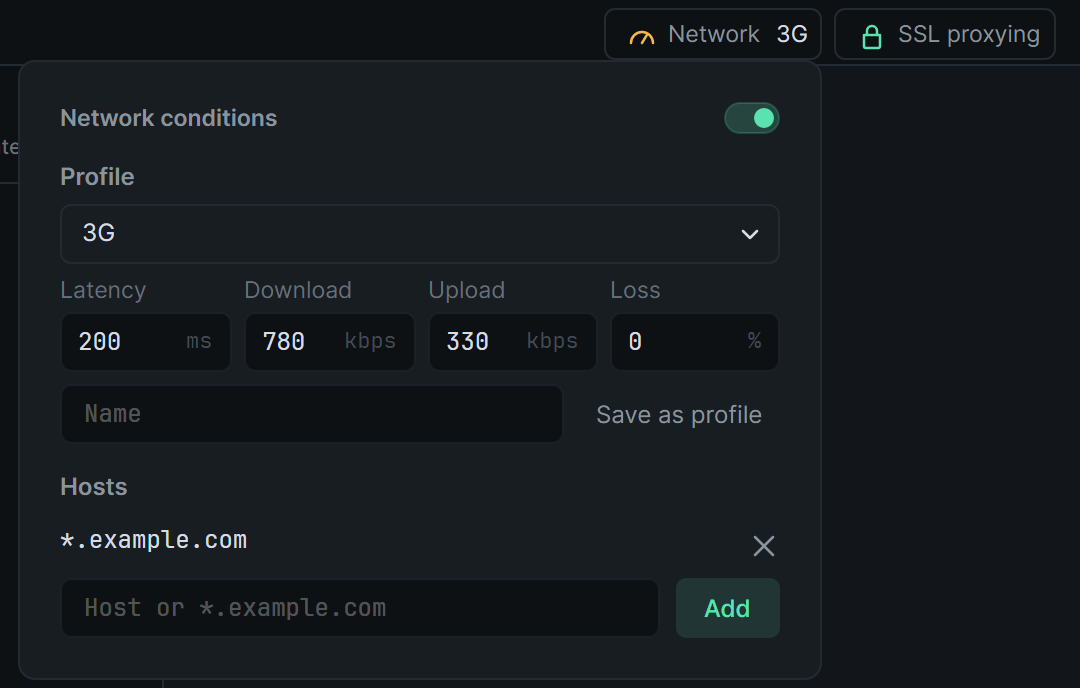
Turn it on
Section titled “Turn it on”Open Network at the right end of the session tabs, between Block & allow and Upstream, and switch it on. The button then names the profile, for example Network 3G, and the session’s tab shows a gauge. Hover the gauge for the profile’s name.
Switch it off to let the traffic run at full speed again.
Profiles
Section titled “Profiles”| Profile | Latency | Download | Upload | Loss |
|---|---|---|---|---|
| Wi-Fi | 2 ms | 40,000 kbps | 33,000 kbps | 0% |
| DSL | 10 ms | 2,000 kbps | 256 kbps | 0% |
| LTE | 115 ms | 50,000 kbps | 10,000 kbps | 0% |
| 3G | 200 ms | 780 kbps | 330 kbps | 0% |
| Edge | 840 ms | 240 kbps | 200 kbps | 0% |
| Very bad network | 1,000 ms | 1,000 kbps | 1,000 kbps | 10% |
Pick one under Profile. To change a value, type it and press Enter (or leave the field). The profile then reads Custom. A speed of 0 leaves that direction uncapped.
To keep your values, type a name beside Save as profile and press Enter. Your profiles are listed after the presets in every session. Remove one with the × beside Profile while it is chosen.
Some hosts only
Section titled “Some hosts only”With no hosts listed, every host is slowed. Type a host or pattern under Hosts and click Add (or press Enter) to slow only those.
| Pattern | Matches |
|---|---|
api.example.com |
That host only |
*.example.com |
example.com and every host under it |
*cdn* |
Any host with cdn in its name |
For HTTPS the host is the name the app asked for in its TLS hello, so a connection to an IP address still matches by name.
What is slowed
Section titled “What is slowed”- Latency is added to every round trip: half to what the app sends, half to what it gets back. Opening a connection costs one more round trip, and so does the TLS handshake zhttp makes for a decrypted host.
- Download and Upload cap what the app receives and sends, in kilobits a second.
- Loss is the share of what is sent that is lost. zhttp can’t drop packets out of a TCP connection, so a lost piece stalls the way TCP does while it retransmits: for twice the latency, and at least 200 ms. What comes after it waits behind it.
It applies to plain HTTP, decrypted HTTP/1 and HTTP/2, WebSockets, and hosts passed through untouched. A change applies straight away, to connections already open as well as new ones. Requests you replay or compose go through the session too, so they are slowed the same way.
The timings zhttp shows include the slowdown: a response’s duration is how long the app took to receive it.
Each session keeps its own conditions, saved between restarts. Recordings have none.