
Composer
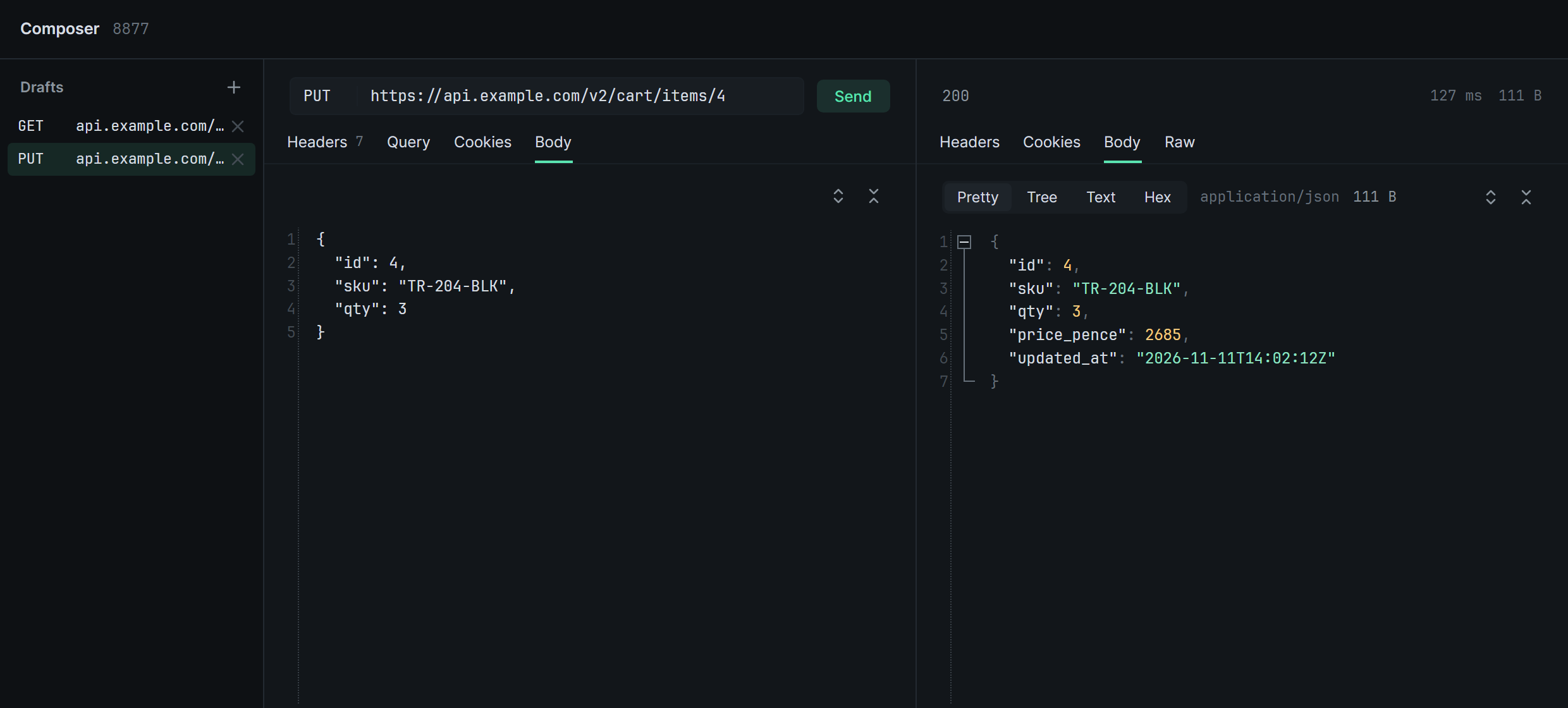
The composer turns a captured request into a draft you can change and send. It goes out on a connection made the way the app made the original, so the server sees the app’s fingerprint.
-
Select a request and press Ctrl E. Right-click › Compose and the compose button beside Request in the inspector do the same. The composer opens in a window of its own with a draft of the request.
-
Edit the method and URL at the top, and the Headers, Query, Cookies and Body tabs below. Headers are one
name: valueper line. A JSON body has buttons to indent it or strip its white space. -
Click Send, or press Ctrl Enter. Enter in the method or URL field sends too.
The response appears beside the draft, with its status, time and size. The exchange is also listed in the main window like any other, marked as sent from zhttp, without taking the selection from the row you were looking at. The request a draft belongs to stays listed whatever the search.
The window
Section titled “The window”- One per session. Its title names the session. Move it beside the main window or onto another screen.
- Closing it keeps the drafts. The composer button in the top bar, or Open composer in the command palette, opens it again or brings it to the front.
- It closes with its session, and with the main window.
How drafts behave
Section titled “How drafts behave”- After sending, the draft belongs to the request it just sent. Your next change starts from what the server was last told.
- Another host in the URL sends the request to that server, still with the app’s fingerprint.
- Untouched bodies are sent as the exact bytes recorded.
Content-Lengthis set to fit the body. HTTP/2 pseudo-headers andHostfollow the method and URL.- Bodies over 64 MB can’t be edited here and are sent as recorded.
The drafts list on the left keeps one draft per request. + starts a draft from the request selected in the main window. × discards a draft. Clear in the top bar removes the session’s drafts along with its traffic.