
No caching
Apps keep copies of responses so they don’t have to download them again. While you’re testing, that can hide a request from you, or show you an old version of a response. No caching makes the app ask the server every time, so you always see the current response.
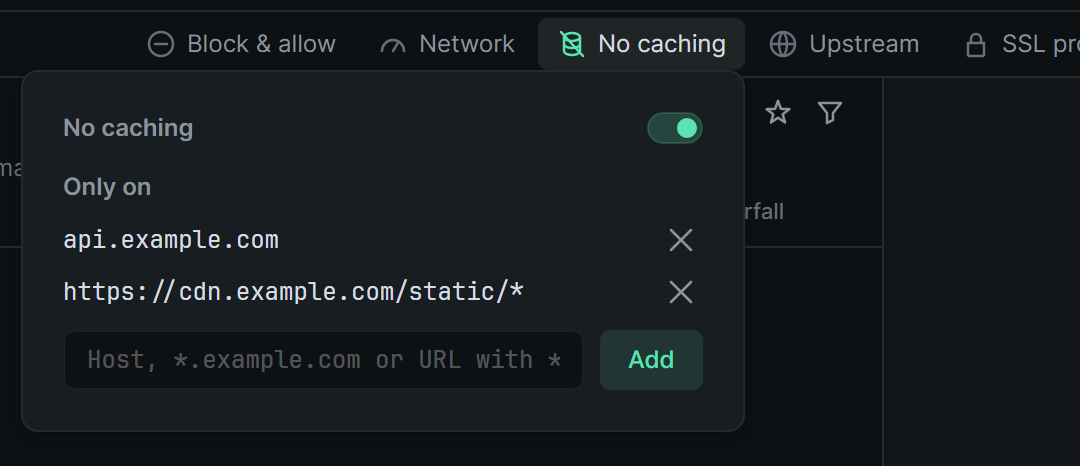
Turn it on
Section titled “Turn it on”Open No caching at the right end of the session tabs, between Network and Upstream, and switch it on. Its icon lights up while it’s on.
Switch it off to let the app keep copies again.
Some locations only
Section titled “Some locations only”With nothing listed under Only on, it applies to every request. To limit it, type an entry and click Add (or press Enter). Entries work like blocked entries: one without a / is a host, one with a / is a URL pattern.
| Entry | Matches |
|---|---|
api.example.com |
That host only |
*.example.com |
example.com and every host under it |
https://cdn.example.com/static/* |
Everything under that path |
Click an entry’s × to remove it.
What changes
Section titled “What changes”zhttp changes the headers that control caching. Bodies go through untouched.
- Requests lose
If-Modified-SinceandIf-None-Match, so the server can’t answer “not modified”. They getPragma: no-cacheandCache-Control: no-cache. - Responses lose
Expires,Last-ModifiedandETag, so the app has nothing to check a copy against. They getExpires: 0andCache-Control: no-cache.
The request list shows the headers as they went: the request as the server got it, and the response as the app got it.
It applies to decrypted HTTPS over HTTP/1 and HTTP/2, event streams included. Hosts that SSL proxying passes through untouched, and plain http:// requests, are left as they are. A change applies straight away, to connections already open as well as new ones.
Each session keeps its own setting, saved between restarts. AI agents switch it with zhttp_set_no_caching. See AI agents.